Choosing and Using Windmill Icons Without the Common Headaches
Windmill icons carry a sense of clean energy, rustic charm, and steady motion that fits into everything from eco-branding to app interfaces. Designers, marketers, educators, and small business owners often search for that perfect windmill illustration to anchor a project’s visual theme. Yet the path from finding a set to actually using it smoothly is littered with small missteps that turn a simple task into a frustrating rework session. Understanding what trips people up can save you time, protect your final output quality, and help you pick resources that genuinely work the way you expect them to.
One of the most frequent mistakes people make when downloading windmill icon sets is assuming all vector files behave the same. You might grab a free EPS pack online, open it in your preferred software, and find shapes broken, colors locked into uneditable groups, or layers named “Layer 1” through “Layer 47” with no indication of which element is the blade and which is the tower. This messy inheritance often comes from files that were auto-traced or hastily exported without clean layer separation. The result is wasted minutes—or hours—trying to isolate a single component to change its color for your brand palette.
The fix here starts before you even download. Look for collections that explicitly mention neatly organized file and layer structure. In a well-built set, you should open the AI or EPS file and immediately find groups with clear labels: blades, nacelle, tower, foundation, maybe even separate layers for different states like active rotation or static. This kind of organization does more than please your inner neat freak—it cuts editing time dramatically and prevents the accidental destruction of complex paths when you are trying to select one part of the icon.
Overlooking True Editability Costs You Later
Another quiet frustration comes from the phrase “editable vector.” Technically, any EPS or AI file is editable, but the practical experience varies enormously. Some files embed raster images inside a vector container, which means scaling up reveals pixelation. Others convert text to outlines without keeping a live font layer, so you cannot easily swap a tagline. Windmill icons are often paired with text in infographics or signage, and if the type is baked into shapes, your ability to localize or restyle it vanishes.
Before committing to a purchase or a download, scan the product description for cues like fully editable or change colors and modify the icon easily. The best windmill icon collections use basic, well-named swatches or global colors. With global colors, you adjust the swatch once and every instance of that color across the icon updates immediately. This is precious when you are adapting a set for light and dark backgrounds or matching a strict brand style guide. A tired designer once told me they spent an afternoon manually clicking each blade segment in a set of thirty icons because the file used flat, ungrouped fills. That is an afternoon you do not want to repeat.
Why Consistency in Detail Matters More Than You Think
Variety within an icon family is often discussed, but consistency in detail is what separates professional output from something that feels slightly off. You might find a pack where one windmill icon has delicate strokes, another uses chunky silhouettes, and a third shifts the perspective from side view to an odd isometric angle. Used together in an app menu or a presentation slide, these quirks create visual dissonance. Your audience may not consciously notice, but they will sense the lack of cohesion.
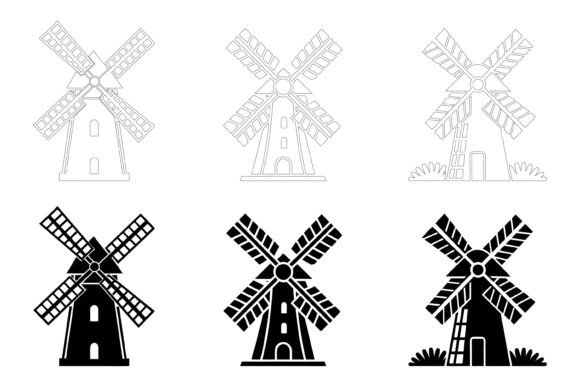
When evaluating a windmill icons set, especially an AI EPS collection, scan for uniform stroke widths, consistent corner rounding, matching light source direction if gradients are used, and a coherent design language. Good designers enforce these rules across the entire set. Collections that highlight perfection in details and consistency usually mean the creator took the time to establish a grid system and design tokens before building out the family. This ensures that even when you mix and match icons from the set—windmill, solar panel, battery storage—they read as part of the same story.
Relying Only on One File Format Can Trap You
A practical gap that catches beginners and even intermediate users is the assumption that having an AI file is enough. Adobe Illustrator files are powerful, but your workflow might involve Sketch, Figma, Canva, PowerPoint, or older software that struggles with modern AI formats. If the windmill icon set includes EPS and JPG alongside AI, you cover more ground. EPS is a universal vector exchange format that most professional tools accept. JPG gives you a quick raster fallback for social media thumbnails or email signatures where vector precision is not required but fast insertion is.
Check compatibility notes as well. A thoughtful set designed for Mac and Windows users indicates the creator tested cross-platform. Fonts embedded in EPS files can sometimes misbehave on Windows if not outlined properly, and certain path effects in AI might render differently in CorelDRAW. A small investment in a well-tested pack eliminates that late-night panic before a deadline when a file refuses to open.
The Print-Web Disconnect Nobody Warns You About
Windmill icons intended for a website often get repurposed for print collateral—brochures, banners, packaging—without a second thought. Vector artwork scales infinitely, so what could go wrong? Plenty. Colors defined in RGB can shift when converted to CMYK, especially those vibrant eco-greens and sky-blues that so often accompany windmill imagery. A set suitable for both print and web will take this into account, perhaps by providing color builds that hold up under CMYK conversion or by including spot color versions.
Beyond color, consider line weights. An icon with delicate, hairline strokes that look crisp on a Retina display might disappear on a screen-printed tote bag. Conversely, a chunky icon tailored for small apparel badges can feel clunky as a 48px UI element. An optimal windmill icons collection offers enough detail variants or, at minimum, strokes that scale gracefully. Test by viewing the JPG at different zoom levels—if important parts vanish at small sizes, you know the icon needs bolder forms for certain uses.
Underestimating Licensing and Future Use Rights
A critical but often skimmed section involves what you are actually allowed to do with the icons. You might purchase a windmill set for a client presentation, then reuse it later for a commercial product, wall art, or an app you sell. Many budget packs have restrictive licenses that forbid digital resale assets, logo creation, or usage in templates. If the collection description markets itself as appropriate for apps, infographics, symbols, and web, the accompanying license should explicitly grant those rights. You do not want to build a whole marketing campaign around an icon only to receive a takedown notice or an unexpected invoice from a stock art enforcement bot.
Look for phrases like “commercial use included” or “royalty-free across projects” and still verify the fine print. Some creators require attribution in certain contexts. Others limit the number of end products. Understanding these boundaries before purchase prevents costly renegotiations or, worse, having to swap out all instances of the icon after launch.
Settling for Static When Dynamic Is Possible
Windmill icons inherently suggest motion—rotating blades, turning gears, shifting wind. A surprising oversight is choosing a completely static set when you might later want to animate parts for a website loader, a video intro, or an interactive kiosk. Not every designer needs motion, but the presence of separated blade layers and a central pivot point in the vector file makes animation much easier. An AI EPS collection where the blades are a distinct group that can be rotated around a clearly centered anchor saves you from having to rebuild the entire icon in After Effects or CSS.
Check for logical grouping within the file. Blades should be clustered such that one rotation command spins them together around the hub. If the hub and blades are all flattened into a single compound path, animation becomes tedious. This small structural detail is a marker of a creator who understands not just illustration but also how people actually use the assets downstream.
Forgetting to Match Style to Audience Perception
Style communicates before words do. A highly detailed, realistic windmill silhouette might suit a heritage tourism website but feel heavy and outdated inside a modern mobile app. Conversely, a flat, ultra-minimalist windmill made of three geometric circles might confuse someone looking for a recognizable silhouette to denote renewable energy on a dashboard. The context in which you will deploy the windmill icons should guide your selection. Test the icon at the exact size you intend to display it and ask someone unfamiliar with the project what they see. If “flower” or “fan” is a common first guess, you might need a clearer structure or a more recognizable tail fin and tower proportion.
Some packs solve this by offering variations—a simple outline version for UIs, a duo-tone for editorial, and a detailed illustration for hero banners. This kind of versatility is worth hunting for because it keeps your visual language consistent while adapting to different surfaces.
What to Inspect Before You Click Buy
Now that the pitfalls are clear, let's walk through a practical checklist. First, open the preview images and zoom in. Watch for jagged edges, uneven spacing, or strange anchor points that hint at auto-trace artifacts. Second, read the specification for file formats. An ideal windmill icons set states clearly that it includes AI, EPS, and JPG, and notes whether the JPG comes in high resolution suitable for print. Third, look for signs of thoughtful construction: organized layers, global color swatches, meaningful group names. Fourth, verify the license covers your expected usage, whether that is a personal blog, a commercial product, or a client project. Fifth, consider the designer’s track record—if they regularly update their collections or respond to support queries, you are less likely to be stuck with a buggy file.
The difference between a frustrating asset hunt and a smooth creative workflow often hangs on these small checks. A windmill icons set that ticks those boxes doesn’t just sit in your downloads folder—it gets used, reused, and recommended. And because you can quickly adjust colors, resize without quality loss, and drop the JPG into a slide deck without launching Illustrator, the investment pays off the very first time you finish a task ahead of schedule.
Windmill icons carry more weight than their simple silhouettes suggest. They represent sustainability, heritage, and kinetic energy in one recognizable shape. When the underlying files support your creativity instead of obstructing it, that message comes through clearly to your audience. So whether you are sprucing up a landing page, illustrating a nonprofit report, or building an infographic about renewable energy history, the assets you choose set the ceiling for what you can achieve. Spend an extra five minutes checking the structure, editability, and consistency, and you’ll sidestep the rework loops that burn out passion projects and professional deadlines alike. The right AI EPS collection is out there—ready for any screen, any print job, and any idea you want to spin into motion.