Bill and Payment Icons: Clean Vector Graphics for Any Project
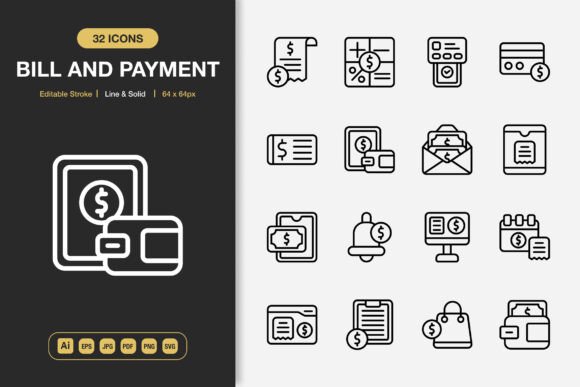
Finding the right visual language for money-related tasks can shape how users understand and trust a product. Bill and Payment Icons belong to a thoughtfully crafted icon collection that pairs everyday financial actions with clear, modern design. The set includes symbols for invoices, receipts, credit cards, digital wallets, transaction histories, and more, all built to fit easily into digital and print environments. People use these icons to simplify complex steps, highlight pricing sections, or add polish to accounting dashboards without having to draw anything from scratch.
What sets these specific assets apart is their dual-style approach. Every icon comes in both line and solid versions, which means one symbol can work as an airy outline in a mobile menu or a bolder filled shape on a flyer. The editable stroke gives users control over thickness and corner rounding, while the high-quality construction keeps edges crisp at any size. Because the package includes source files in Adobe Illustrator, EPS, PDF, SVG, and multiple PNG sizes with transparency, creators can jump between different software without losing fidelity. The drag-and-drop convenience helps beginners feel confident, and the fully customizable layers let experienced designers fine-tune every detail.
Who Actually Benefits from a Bill and Payment Icon Pack?
A small business owner updating a restaurant’s online ordering page might look at these icons very differently than a freelance mobile app designer or a teacher building financial literacy worksheets. The common thread is clarity. Financial interfaces can feel intimidating, and well-chosen graphics reduce confusion. The bill and payment icons give every type of user a way to signal actions like “pay now,” “download invoice,” or “check balance” without relying on text alone. For a beginner, the value lies in immediate usability—just pick the right PNG size and drop it onto a website. For a professional, the layered AI and EPS files open up hundreds of customization paths, so the same icon can match a dark mode interface or fit a strict brand palette.
Small business owners often juggle multiple communication channels. They need a consistent look across a printed price list, a social media post about seasonal sales, and the checkout flow on their website. Using the same icon family everywhere creates a subtle but powerful sense of reliability. When a customer sees an identical credit card icon on both an Instagram story and a payment form, they recognize the brand’s attention to detail. That recognition builds trust, especially during the payment moment. For this audience, the multi-format download means they can pull a high-resolution PNG into Canva for a quick banner, then switch to the SVG version for a WooCommerce plugin without ever leaving their comfort zone.
Putting Minimalist Design to Work Across Different Projects
Minimalist icon design isn’t just a trend—it helps information breathe. On a mobile app screen packed with buttons and data, an overly detailed coins or wallet graphic adds visual noise. These bill and payment icons keep the focus on function. A consumer browsing a budgeting app sees only the essential shapes: an envelope for billing, a percentage sign for interest rates, an hourglass for pending transactions. The clean style reduces cognitive load, which matters especially for older users or anyone less familiar with digital finance tools.
Educators and nonprofit communicators appreciate the same clarity for a different reason. A financial literacy handout for adults might need to show a sequence: receiving a bill, checking the amount, making a payment, and receiving a receipt. Using a matching set of line icons keeps the flow intuitive, even for audiences who struggle with reading dense text. Because the pack includes a well-organized folder structure and a Readme file, people who rarely work with design software can still locate the right file formats quickly. A trainer preparing slides for a community workshop can grab the 128px PNG, place it next to a simplified explanation, and never worry about pixelation.
How Different Skill Levels Shape the Way People Use the Same Icon Set
A beginner might open the folder, see twelve file types, and wonder where to start. The inclusion of ready-to-use PNGs at 32px, 48px, 64px, 96px, 128px, 256px, and 512px answers that confusion. Someone building a personal blog with a page about managing household bills can simply drag the 64px PNG into their content management system and get a crisp icon without touching Illustrator. The transparent background ensures the icon sits cleanly on colored headers or image backgrounds. Over time, that same beginner might grow curious about the SVG files, discovering they can resize them endlessly without loss of quality—an eye-opening moment that builds confidence for future projects.
Experienced designers, on the other hand, often look at an icon pack with a more critical lens. They care about stroke consistency, grid alignment, and whether the paths are clean enough for animation. The editable stroke feature in these bill and payment icons means a UI designer can adjust the line weight to match an existing interface library, or animate the stroke for a loading state in a payment processing screen. The Adobe Illustrator source file exposes every layer, so creating a monochrome version, adding gradient fills, or even generating a multi-state payment progress icon becomes possible without rebuilding anything from scratch.
Freelancers and agency creatives move between diverse client needs weekly. One week they might need a receipt icon for a bookkeeping firm’s printed brochure; the next, an invoice icon for a startup’s mobile wallet app. Having everything in one licensed set saves hours of searching and negotiating individual icon licenses. The EPS Version 10 format ensures compatibility with older print workflows, which still matter for some publishing houses or large-format poster printers. A designer can pull the vector file, scale it to billboard size, and know the edges will remain perfectly sharp.
Practical Examples: Where These Icons Make a Visible Difference
Imagine a local gym updating its membership portal. The owner wants to highlight a new “pay with points” feature but lacks the design budget for custom illustrations. Using the solid style dollar-coin icon from this pack as the feature’s hero graphic, and a related line icon for a secondary “payment history” link, instantly communicates the idea without a lengthy tutorial. The icons download in minutes, and because the license covers both web and print, that same icon migrates to a printed price board without additional fees.
Now picture a SaaS startup building a fintech dashboard. The product team needs icons that work equally well in a sidebar menu, an empty state illustration, and an onboarding tooltip. They import the SVGs into their design system, adjust the stroke colors to match their teal accent, and even use the editable stroke to create slightly heavier versions for the active menu state. The solid style fits a data visualization badge (“Invoices Paid”), while the line style serves a secondary button. Because the icons are fully customizable, the developers can later optimize the SVG code for faster rendering—a detail that matters when thousands of users load the dashboard daily.
For book authors or ebook publishers, payment-related graphics often appear in instructional guides about freelancing, side hustles, or personal finance. A high-resolution PDF or EPS file inserted into an InDesign layout remains sharp on the printed page. The minimalist look avoids dating the book’s interior design, and the author can reuse the same icon in promotional social media graphics. A parenting blogger creating a budgeting printable for her readers can drop a simple bill icon into a table, knowing it prints clearly even on a home printer. The consistency between digital and print versions reinforces the blog’s professional feel.
Identifying What Matters Most for Your Specific Project
Different people weigh different factors when choosing an icon pack. For some, speed is everything: they need to implement a payment page in two hours and cannot afford to fiddle with vector nodes. For them, the drag-and-drop PNGs at multiple sizes are a lifesaver. Others care about long-term flexibility: they want a source file they can revisit months later and adapt to a rebrand. The AI and EPS files meet that need, acting as a master template. A creative director evaluating icon options for a large-scale infographic cares about consistency across dozens of icons; because this set maintains the same visual language throughout, it helps avoid a patchwork feel.
Reliability is another quiet priority. A web developer integrating SVG icons into a complex application wants to be sure the files are well-formed and won’t break the layout. The PDF file included in the package can also serve as a preview and a guide for clients who need to approve icons before development. A teacher who only uses JPG files for simple slides doesn’t need to understand vectors—they just open the JPG folder, insert the image, and the lesson looks polished. The presence of a Readme.txt file might seem minor, but for someone who has never unzipped an icon bundle before, a simple text file with usage tips makes the whole experience feel welcoming.
Bringing Bill and Payment Icons into Your Own Workflow
Before downloading any set, it helps to list the places where financial visuals appear in your current projects. A freelancer might note website checkout buttons, invoice PDFs, price comparison tables, and portfolio case studies. A blogger might need icons for categories like “saving tips” and “bill reminders.” Lay out those spots and check whether the icon family offers enough relevant symbols. The billing and payment category typically covers invoices, receipts, payment cards, e-wallets, coin stacks, calculators, and time-sensitive symbols. The more of those you need right now, the more value a comprehensive pack provides.
Also consider how your visual style might evolve. Even if you currently prefer only solid icons for a bold app interface, having matching line versions gives you fallback options when you need to create a light-themed section or a print document where less ink coverage looks better. The transparent PNG backgrounds and the inclusion of 32px through 512px sizes mean you can experiment without resampling or losing sharpness. You can test a tiny 32px icon in a footer link and a large 256px icon as a hero image on the same page, pulled from the same source.
For people working in teams, the editable nature of the source files becomes a collaborative asset. A junior designer can start from the line style and a senior designer can fine-tune the stroke terminals to match the brand’s preferred round or square cap style. The entire team references the same base files, so there’s no confusion about which icon is the “official” download button. When a project expands from an app into printed flyers and banners, the EPS and PDF formats bridge the gap without needing to recreate anything.
Making the Most of a Versatile Icon Collection
No single graphic element carries all the weight of good design, but bill and payment icons lift a heavy load. They turn abstract monetary concepts into something the eye can process quickly. A consumer scanning prices on an e-commerce site feels a flicker of recognition when they spot a consistent set of shopping and payment cues. An entrepreneur presenting a pitch deck with financial projections uses clean charts paired with crisp icons to show rather than tell. The combination of line and solid styles, the transparent PNGs at many resolutions, and the editable source files gives users across skill levels a practical toolbox they can use immediately and adapt over time.
When you’re ready to start your next project—whether that’s a mobile app screen redesign, a flyer for a community fundraiser, or a series of social media ads for a seasonal sale—consider whether your current visuals are doing the job. If the answer involves hunting through inconsistent free icon sites or wrestling with low-resolution downloads, a cohesive set like this one can reshape your workflow. The included formats cover the most common software and publication needs, and the thoughtful file organization makes even a large collection feel manageable. Minimalist design keeps the focus on your message, and the high-quality construction means every pixel and every printed dot lands exactly where it should.